
Showing posts with label mac. Show all posts

Dec 5, 2016

Google Chrome Offline Installers

Chrome
Get a fast, free web browser

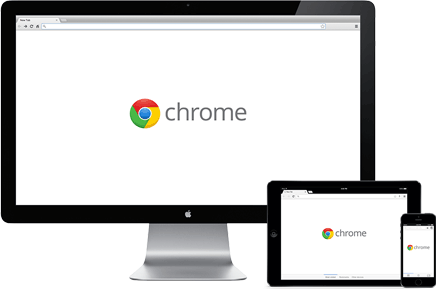
One browser for your computer, phone and tablet
Search instantly
Search and navigate from the same box. Choose from results and suggestions that appear as you type, including your recent searches and visited websites, so you can get to what you want in a snap. Search from the omnibox
Type less
Tired of filling out web forms with the same information time and time again? Autofill lets you complete forms with just one click. And it works across devices too — so you can skip all that small-screen typing. Start using Autofill
Pick up where you left off
Chrome brings your open tabs, bookmarks and recent searches from your computer to your phone or tablet, and vice versa. That way you have your web on all of your devices. Just sign in on your other devices to start syncing. Learn more

Make Chrome yours
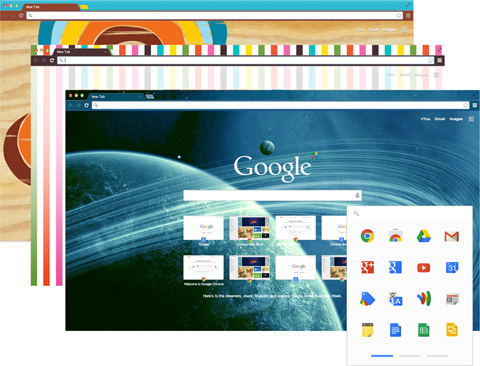
Browse just the way you'd like with Chrome themes, apps and extentions. Get straight to your favorite web destinations with bookmarks and start pages. Once you've set up Chrome, your customizations will be kept in sync across all of your devices. Start customizing
Download Below 

Nov 26, 2016

How To Install Mac OS X in any Intel Based PC


Any OSx86 installation guide can seem daunting at first glance, especially when trying to remember cryptic terminal commands and sorting through volumes of misinformation on the web.  This guide requires no coding, terminal work, or Mac experience of any kind.  You will not need access to a Mac.  In fact, it's easier and faster for me to install Snow Leopard with fully working components on my system than it is to install Windows 7.  And more fun.
The iBoot + MultiBeast method is designed and tested for any desktop or laptop running the latest line of Intel processors, the Core i3/i5/i7s.  I have had reports of success with older machines as well including CoreDuo, Core2Duo, and even Pentium 4.  However, AMD processors are not supported.
YOU WILL NEED

  • A computer running an Intel Processor
  • A blank CD
  • A Mac OS X Snow Leopard (Operating System)
BEFORE YOU BEGIN
  • Use only 1 graphics card in the 1st PCIe slot with 1 monitor plugged in.
  • Remove any hard drives besides the blank drive being used for OS X.
  • Remove any USB peripherals besides keyboard and mouse.
  • Remove any PCI cards besides graphics- they may not be Mac compatible.
  • It's best to use an empty hard drive- you will have to partition and format the drive. 
  • Always back up any of your important data.

Mar 26, 2016

KakaoTalk 1.7.7 For Mac


No more texting overage, texting plans or any other hassles related to texting. KakaoTalk for Mac is a free smartphone messenger that allows users to send and receive messages including photos, videos, voice notes, and contact information through one-on-one and group chats internationally.

KakaoTalk Features:
Share files with your friends
Send documents, videos, images, audio or compressed files from your Mac (up to 100MB/file) and view on both Mac and mobile.
Chatting Excel-style
Transform your chatroom to resemble an Excel spreadsheet. Change the font and text sizes to your liking.
Talk discreetly
Adjust the opacity of your chatroom for privacy. You can set the opacity for each chatroom or apply one setting to all.
Log out remotely
Forgot to log out from KakaoTalk Mac? From KakaoTalk Mobile, go to More > Settings > Mac Version to log out of your Mac activity.
Lock your chats
If you share your computer or want to securely step away from your chats, the lock mode for KakaoTalk Mac keeps your chats password-protected.
Yay! Free call on desktop
You can now enjoy free calls and group calls with your friends on your desktop! Call your friends wherever and whenever for FREE!

SugarSync Manager 3.7.1


SugarSync for Mac enables mobile consumers and professionals to backup, sync, access and share all their files on-the-go, instantly and securely from any Mac, PC, or mobile device (including iOS, Android, BlackBerry, Symbian and Windows Mobile devices). SugarSync users can sync music, photos, movies and other files in ANY folder and access and share those files via the cloud, providing a Cloud service that matches the way people currently organize their folders and manage their digital lives. SugarSync’s file sharing and collaboration tools also allow users to share any folder or file with a simple URL via social networks, email, instant messaging and more.
SugarSync for Mac offers 5GB plans for FREE, and paid plans for larger storage needs. All of SugarSync’s mobile apps are free to download, as well. 5GB of online storage and back up, with up to 500GB for paying customers. Earn 500MB extra FREE for each referral to SugarSync.
SugarSync Features:
Powerful and Simple
Sync just a few folders or sync all your folders. Simply right click on any folder to add it to SugarSync. The entire folder is continuously backed up in real time providing you access to your folders anytime, anywhere, from any PC, Mac, iOS, or Android device. Start editing a file on your office PC and finish it at home on your home Mac.
Secure File Sharing
Whether it’s to collaborate on team projects, distribute view-only files, or simply post links to documents on the web, you have complete control over how you share your files. Invite specific people to access your files and control whether they can only view them or edit them too. Don’t need to restrict access? Generate a public link so that anyone with the link can view your files.
Mobile Productivity
Get stuff done on-the-go. Use SugarSync on your iOS or Android phone or tablet to access, share, and manage your files from anywhere. Edit a file and it’s instantly updated so you'll see the latest version when you're back at the office or at home.

Miro 6.0 For Mac Free


Miro for Mac is a free and open-source music player, video player, converter, and torrent downloader. It can sync to Android phones and tablets and other devices. Buy music and apps from Amazon and Google right in the app. Miro is a free alternative to iTunes with more flexibility.

Top 9 Reasons why Miro for Mac is better than ever:
1. Works with your current music library
It's very easy to switch from iTunes to Miro -- without any copying. Just point Miro to your music and video folders and those files will appear. If you don't like Miro (impossible!), nothing's changed.
2. Converts and syncs to Android & Kindle Fire
You'd have to be crazy to use a music player that doesn't sync to your phone. Miro is simply the best music and video player for Android phones and tablets.
3. Buy Music and Apps inside Miro
The Amazon MP3 store is built-in to Miro. Buy, download, and listen, seamlessly. Buy Android apps from the Amazon or Google app stores and they will sync to your device.
4. Download and play almost any video
Do you still use separate programs to download, play music, play videos, and sync to your phone? Miro plays almost any video or music format and downloads from YouTube, podcasts, Amazon, and bittorrent.
5. Convert any video
You can convert almost any video with Miro into mp4/h264, with presets for almost any device you can think of (including iPhones, iPods, iPads, Android phones, and more).
6. Share Your Media on your Network
When two Miro's are on the same wifi network, they can stream and transfer music and videos to each other. It's the easiest way to watch a video or play music upstairs if the file is downstairs.
7. Open-source - don't lock yourself in!
Unlike some other media players (cough, cough), Miro is not trying to run your life! Not only is Miro 100% free and open-source, it's made by a non-profit organization. You don't need to be locked down by one corporation to have a great media experience.
8. Ultra-fast torrent downloading
Miro has some of the fastest bittorrent downloading in the world, built in. Try us head-to-head with any bittorrent application!
9. But it's not about the features!
Miro has a lot of features, but that's not what matters-- it's the experience. Miro for Mac is a simple, beautiful, unified way to download, organize, and watch videos and listen to music. And it's totally free.

Music Converter 1.5.2 For Mac


Music Converter is a small and simple tool for converting your music and sound files into some of the most popular audio formats on the market. Not only does it do this task quickly and effortlessly, but it also integrates very well into Mac ecosystem with ability to access all your iTunes audio data and its preferences (album data, artists, track information). By having ShedWorx ‘s Music Converter installed on your mac, both novices who have never managed any music files and seasoned users who want easy way to manage conversion of their music library will have fast, accurate and very easy to use freeware app that will always preform its job with precision.
Main dashboard of this application is very stylish, featuring large drag *& drop zone for your music, easy conversion targets - iTunes-compatible, MP3, AAC, Ringtone and Others (WAE, FLAC, Apple Lossless and AIFF). Finally, just click on a single button “Convert” and your files will be automatically transformed in a new format, retaining the best possible high quality that you require. As for source formats this app support more than 100 of them, including even video files that can easily be converted in sound files. Music that is compatible with iTunes formats can be automatically transferred to that audio player, and from there synced to all your music devices.
Music Converter is a small app that can be used without limitation, although users with more demanding  convertor schedules may wish to purchase Pro version of this app that is better suited for professional work and access to deep customization settings for each batch conversion you require.
Music Converter Features:
Simple to use - drag, drop and click convert - Music Converter Pro looks after the rest.
Supports 100's of media formats and converts for all your favourite devices and file types.
Convert from - MP3, FLAC, WAV, WMA, M4A, AIFF, FLV and many more.
Convert to - MP3, AAC, M4A (Apple Lossless), M4R (iPhone Ringtone), FLAC, WAV and more.
Video Support - convert your video soundtracks.
Ringtones - create iPhone ringtones from your favourite music.
Track Information Editing - edit album, artist and track information.
iTunes Savvy - auto imports your converted music to iTunes


Mar 21, 2016

ICQ 2.4.0 For Mac Latest


Keep in touch with friends and loved ones. Get ICQ for Mac with free messaging, video and voice calls, low-cost phone calls and fun stickers. ICQ for Mac brings you new features and updates to enhance your communication experience:
Free voice & video calls
Unlimited calling is just a few clicks away! With free voice calls and video chat in ICQ you can catch up and wave hello anytime and anywhere. Talk as long as you want and don’t worry about the rates.

Variety of themes
Customize your ICQ! Choose from the wide variety of themes and background colors. Bright, colorful or minimalistic - ICQ comes with themes for every mood.
File sharing
Send any type of files to your contacts, right from your chat window. Sharing photos, videos, audio files and any other documents in ICQ is fast and easy.
Social networks
Connect ICQ with your social network accounts and chat with all of your friends in one app. Messaging is so much easier with ICQ for Mac.
Bright and colorful stickers
Chatting is more fun with ICQ stickers. Send stickers to express your mood, cheer your friends up or for no reason at all!


Vienna 3.1.1 For Mac Free


Vienna is an open source RSS/Atom reader with the ability to store received articles and manage it with an included SQLite database. Build with Objective-C and Cocoa for the Mac OS X operating system, this program offers wide variety of useful features that are comparable or even better to professional commercial newsreaders. By having this excellent RSS manager installed on your Home or portable Mac computer, anyone can easily stay in contact with their favorite news sources, receive instant updates about the state of your blog or gallery subscriptions, manage podcasts, enjoy multimedia content, read RSS articles even when your computer does not have internet connection active, and of course easily share your newfound content with your friends, family colleagues and the internet with the integrated tool for emailing, and sharing on most commonly used social networks Facebook and Twitter.

Visual style of Vienna uses classic RSS feed manager layout, with 3 separate sections for manipulating listing and reading RSS articles – on the left is directory structure that can be fully managed by user, and on the right is 2 panels for listing content inside those directories and showcasing content from the currently selected news article. All content can be listed by subject name, date, author, flags, attachment and more. Centralized search engine can easily isolate articles that you want to find. Customization options are extensive, covering everything from time between each RSS feed refresh to text fonts and feed import/export tools.
If you are searching for lightweight, free, stable and very easy to use RSS manager, you need to take a close look to Vienna and everything this great app has to offer. 


Vienna Features:
Subscribe to Atom/RSS news feeds and podcasts.
Simple and intuitive user interface with customisable toolbar.
Built-in tabbed browser.
Global search of all retrieved articles.
Automatic detection of newsfeeds on web pages.
Smart folders for organising related feed articles.
Custom article display styles.
Three separate reading layouts.
Blogging integration.
Support for downloading enclosures in articles
Filter the displayed articles.
Manual reordering of the subscription list.
Full AppleScript support.
Localised into several languages.

Carbon Copy Cloner 4.1.7 Build 4285 For Mac


Carbon Copy Cloner backups are better than ordinary backups. Suppose the unthinkable happens while you're under deadline to finish a project - your Mac is unresponsive and all you hear is an ominous, repetitive clicking noise coming from its hard drive. With ordinary backups, you'll spend your day rushing out to a store to buy a new hard drive and then sit in front of your computer reinstalling the operating system and restoring data.

With Carbon Copy Cloner, your data and the operating system's data are all preserved impeccably on a bootable volume, ready for production at a moment's notice. When disaster strikes, simply boot from your backup and get back to business. Replace the failed hard drive at your convenience, and then restore all of your stuff in one easy step. Any backup application can save your stuff. A CCC bootable backup will save your productivity as well!
Carbon Copy Cloner Features:
Bootable Backups
When disaster strikes your hard disk, you can boot from your backup and keep working. Troubleshoot the problem disk when you have time to spare.
Smart Updates
Update only the files that have been added or modified.
Backups Anywhere
Create a backup on your external drive, or back up your files to a networked drive.
Household License
One license lets you run CCC on every Mac in your household.


BetterTouchTool 1.62 For Mac


BetterTouchTool is a great, feature packed FREE app that allows you to configure many gestures for your Magic Mouse, Macbook Trackpad and Magic Trackpad. It also allows you to configure actions for keyboard shortcuts, normal mice and the Apple Remote. In addition to this it has an iOS companion App (BTT Remote) which can also be configured to control your Mac the way you want.

BetterTouchTool includes many goodies, like window snapping or an integrated window switcher. BetterTouchTool should now work on OS X Yosemite beta. Please redownload if you already have the beta installed. 

BetterTouchTool is the (absolutely free) software for your Mac (running Mac OS X 10.7 or greater). It has tons of features and allows you to completely customize the way you work with your Mac.

iBoostUp 5.3 For Mac


iBoostUp (formely known as iTuneUp) tunes up and optimizes your Mac by purging unneeded files, fixing your hard disk, giving you performance recommendations, protecting your privacy by removing cookies, displaying system information and much more!

Has your Mac become slow and unresponsive? Has it lost some of the zing it used to have? Are you getting unexpected crashes and error messages? Is your Macbook getting hot and the fan running constantly? Fix slow performance now!
Easy-To-Use
There are no complicated options to learn in order to effectively use iBoostUp.
Optimize & Repair
Optimize your Mac, fix slow performance, fix app errors. Make your Mac new again.
Download Free
iBoostUp is completely free to download & use. Optional features can be purchased in-app.


IceClean For Mac


IceClean is a powerful diagnostic tool that will inform you about various aspects of your Mac system, and optimize it with wide array of useful fixes that will make your Mac faster and more stable. This app was built from the ground up to enable novice, intermediate and advanced-level users to get instant access to various reporting systems of their computer and to optimize every part of their Mac. IceClean can be used not only as a system optimizer but also as a central location where user can get informed current state of their PC. That includes advanced options such as current CPU and Kernel profiler, information about internet connectivity, firewall process listing, WhoIs tool, Unix Pages, and detailed Reports page that can very quickly create log of your current hardware and software.

Main interface of Maintenance  can be started from the taskbar menu system that has four main categories – Maintenance (full system checkup, verify system disk, optimize all integral parts of your Mac), Cleanup (System Cache, Safari and Font management), Security & Network and Utilities (optimizations for boot times, Spotlight, Dashboards, Dock, Screen Lock, Rebuild Finder, and much more).  With this approach to main interface even novices will be able to fully control the state of their Mac with just few clicks of their mouse – painless and fast just like novices that are not sure in their Mac skills like it to be.

This tool is only using built-in capabilities of System Tasks that are already present deep under the hood of your Mac system, and can enable you to execute following tasks:
  • System Maintenance Process
  • System Cleanup
  • Dashboard On/Off
  • Three Spotlight features (Rebuild, Update, Optimize)
  • Show Hidden FIles and Folders
  • Finder Customization
  • CD-DVD RW Quick Erase
  • Force Empty Trashes and Securely Delete
  • Lock your Scren

Subler 1.0.9 For Mac


Subler is a simple mp4 file format muxer created by the developer Damiano Galassi to enable all Mac users with the ability to easily manage their video files packaged in MKV or MOV containers and easily add, remove or manage audio, video, chapter and subtitle streams that are held in them. This also includes creation of new MKV files, and streams that will be compatible with reproduction on all apple devices from home computers to portable devices and even Apple TV. 

Interface of Subler is very easy for use. Main dashboard enables easy loading of existing MKV, MP4 or MOV files, and listing of the files that are held in them. From there users can easily add new streams (more audio languages, new subtitles), remove existing streams from the video container (remove unnecessary audio tracks for example), or even edit data by adding new metadata which can even be automatically fetched from the internet database themoviedb.org. App also supports limited transcoding capabilities, all in line to enable your video and audio streams to be compatible with Apple standards. Those video and audio options can be tweaked in Customization screen that features tweaks separated in three main tabs – General, Sets and Audio (downmix to stereo or surround, with user-selectable bitrate per channel).

With Subler, anyone can very quickly remux  MKV, MP4 or MOV files to widely used MP4 container, with full control or managing which audio/video/subtitle/chapter tracks you want to preserve in your new file. 
The main features are: 
Creation of tx3g subtitles tracks, compatible with all Apple's devices (iPod, AppleTV, iPhone, QuickTime).
Mux video, audio, chapters, subtitles and closed captions tracks from mov, mp4 and mkv.
Raw formats: H.264 Elementary streams (.h264, .264), AAC (.aac), AC3 (.ac3), Scenarist (.scc)
iTunes metadata editing and TMDb and TVDB support.


https://my.pcloud.com/publink/show?code=XZ04n8ZrU5E3M8MaVFUOcrehOEdbLulzXk0


iAlertU 0.80 For Mac Free


iAlertU is an innovative alarm software specifically created for Apple MacBook computers. What this alarm does is to use all the available sensors and hardware capabilities of your Mac laptop to transform it into advanced car alarm device or alarm against unauthorized movement of laptop!

In the occasions when iAlertU is active and detects unauthorized movement of the car via its integrated accelerometers, it can snap the picture of the person that is driving the car and then activate script that can send SMS message, e-mail message or even pictures to the owner. In latest versions, users can even remotely control iAlertU my manually requesting it to send pictures and data back to them.

Simple configuration screen enables user to control every aspect of their motion-based alarm – how sensitive sensors need to be, how to control arming and de-arming process (password, remote connection), what to happen when alarm goes off (email notification, controlling the way webcam is capturing and storing images) and even advanced settings like automatic running of scripts or setting up connection settings for iPhone.  In addition to webcam, iAlertU can also capture images of the desktop surface in regular intervals (including with configuration with multiple displays).

If you want to protect your Mac desktop or laptop against unauthorized intrusions when you are not physically beside them and have ability to track the status of your hardware remotely and get automated updates about their state, then you need to take really closer look at this great freeware security application

ClamXav 2.8.9.1 For Mac Free


CPowerful. Easy to Use. Lightweight.
ClamXav is a trusted and highly recommended anti-virus and malware scanner for Mac OS X with the ability to detect both Mac and Windows threats.
ClamXav puts you in control - it can be set up up to scan either the specific files you tell it to, or your entire hard drive, whichever you prefer. If you like, you can also choose to activate Sentry to monitor your computer and scan any new files as they arrive. Automate scans and database updates to match your schedule.
Running silently in the background, ClamXav Sentry is so lightweight that you'll barely even notice it's running.
Let ClamXav work for you, and with you. It will give you peace of mind, and it won't get in your way.
Other benefits to ClamXav:
no yearly subscription fees
free malware database updates
free customer support
move dangerous files to a safe quarantine folder
fights ransomware against holding your sensitive data hostage
ClamXav Features:
Easy to use
Clearly lists infected files. Save your favourite scan locations. Free virus definition updates.
Versatile
Exclude files or whole disks/folders. Quarantine or Trash files with one click. Schedule scans and updates.  
Powerful
Use the bundled ClamAV engine or bring your own installation. Monitor your disk with ClamXav Sentry.

NetSpot For Mac


NetSpot is a native wireless information application for your Mac. It only takes a couple of clicks to load your plan and begin a network site survey. All you need to do is point to where you are on the map and NetSpot will begin measuring wireless signals immediately, then move around and collect Wi-Fi data. The application goves you all the data you need to analyze radio signal leakages, discover noise sources, map channel usage and locate effective access points.

KEY FEATURES INCLUDE:
Wireless Network Planning.
NetSpot is an amazing wireless survey tool for Wi-Fi planning. You can load a map, collect wireless site survey data and construct a comprehensive heatmap of your network. You can locate empty channels with no wireless networks.
Visualize Your Wireless Network.
To be efficient, your Wi-Fi network needs hotspots placed correctly and radio channels assigned in a proper way. NetSpot allows you see all dead zones without coverage and optimize hotspots' placements.
Troubleshoot Wireless Networks.
With Troubleshooting visualizations you can quickly identify connectivity and wireless interference issues. You can then find sources of excessive noise and resolve Wi-Fi configuration problems.

Stellarium 0.14.3 For Mac


Stellarium for Mac is a free open source planetarium for your computer. It shows a realistic sky in 3D, just like what you see with the naked eye, binoculars or a telescope. It is being used in planetarium projectors. Just set your coordinates and go. Features of Stellarium: 
Sky
Default catalogue of over 600,000 stars
Extra catalogues with more than 210 million stars
Asterisms and illustrations of the constellations
Constellations for twelve different cultures
Images of nebulae (full Messier catalogue)
Realistic Milky Way
Very realistic atmosphere, sunrise and sunset
The planets and their satellites
Interface
A powerful zoom
Time control
Multilingual interface
Fisheye projection for planetarium domes
Spheric mirror projection for your own low-cost dome
All new graphical interface and extensive keyboard control
Telescope control
Visualisation
Equatorial and azimuthal grids
Star twinkling
Shooting stars
Eclipse simulation
Supernovae simulation
Skinnable landscapes, now with spheric panorama projection
Customizability
Plugin system adding artifical satellites, ocular simulation, telescope configuration and more
Ability to add new solar system objects from online resources...
Add your own deep sky objects, landscapes, constellation images, scripts...


Aptana Studio 3.6.1 For Mac


Aptana Studio for Mac is an open source IDE based on the Eclipse IDE for programming and creating web applications. The program has numerous features made to help programming: code assist gives hints and tips for tags and syntax, the debugger tool aims to detect and list possible bugs in code and the program also has integrated preview browser (for Firefox and Internet Explorer for example). Aptana Studio for Mac supports common web-application coding languages such as JavaScript, AJAX, PHP, and Ruby on Rails as well as HTML and CSS. With Aptana Studio you can also develop applications and programs for Apple iPhone.

Aptana Core Features:
HTML, CSS, and JavaScript Code Assist
Aids in authoring of HTML, CSS, JavaScript, PHP, and Ruby. Supports the latest HTML5 specifications. Includes information about the level of support for each element in the major web browsers.
Deployment Wizard
Support for one-shot as well as keep-synchronized setups. Multiple protocols including FTP, SFTP, FTPS and Capistrano. Ability to automatically publish your Ruby & Rails applications to hosting services such as Heroku and Engine Yard.
Integrated Debugger
Set breakpoints, inspect variables, control execution. The integrated Ruby & Rails and JavaScript debuggers help you squash those bugs.
Git Integration
Easily put your projects under git source code control. Collaborate with team members thru merge, pull and push actions to remote repositories such those hosted on Github. Facilitates git-based deployments.
Built-in Terminal
Quickly access a command line terminal for execution of operating system commands and language utilities such as gem, rake, etc.
IDE Customization
Setup your development environment exactly the way you want it by extending the core capabilities through scripting of custom commands. Studio ships with hundreds of commands but always presents them in context based on the type of file you are editing.